The Short Version
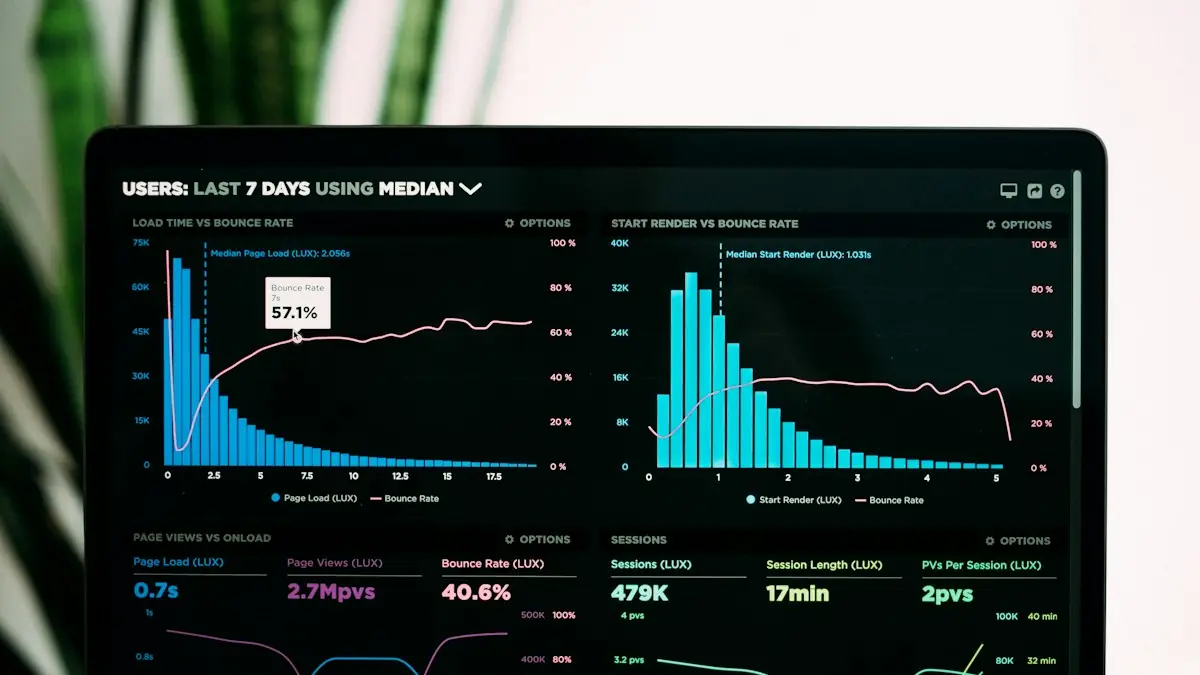
ClickMagick's reports answer one question from several angles: which marketing actually makes money? You get real-time campaign stats, funnel reports that show where visitors drop off, reports by UTM tag, how quickly clicks turn into sales, customer lifetime value, and a full history for every visitor.
Here's what each report is for and when we'd reach for it.
The Reports at a Glance
| Report | Answers | Use it when |
|---|---|---|
| Real-time stats | Clicks, conversions, revenue, cost and ROAS by campaign, ad and keyword | Daily budget decisions |
| Funnel Steps | Which paths visitors take and the conversion rate page to page | Finding where a funnel leaks |
| UTM Performance | Results grouped by source, medium, campaign and content tags | Comparing channels and placements |
| Conversion Velocity | How long it takes clicks to become sales | Long sales cycles and judging new ads fairly |
| Lifetime Value | What customers from each source are worth over time | Subscriptions, upsells and repeat buyers |
| Visitor Profiles | Every ad click, page and conversion for one person | Checking journeys and troubleshooting |
Real-Time Stats
This is where most people live. Once ClickMagick pulls your ad costs from Google, Meta, TikTok and Microsoft, it shows spend next to tracked revenue, so ROAS is calculated from your own conversions rather than the platforms' estimates.
Switch the attribution model and the same numbers re-shape. Position-based, for example, gives prospecting ads credit for the sales they start. See our attribution models guide.
Funnel Steps
The Funnel Steps report shows the routes visitors take through your funnel and the conversion rate between each step, for any traffic source, campaign, ad or keyword. If your opt-in page converts well from Meta but badly from Google, this is where you'll see it.
We'd use it before rewriting pages: fix the step where most people leave, not the one you happen to dislike. See funnel tracking.
Conversion Velocity and Lifetime Value
Conversion Velocity shows the time between click and sale. If most buyers take a week, judging a new ad after two days will kill winners early.
The Lifetime Value report shows what customers from each source are worth over time, not just on the first order. A channel with a weak first sale but strong repeat purchases may deserve more budget. See our lifetime value guide.
Visitor Profiles
Click any conversion and ClickMagick shows the full history for that person: the ad they first clicked, every page they visited, any later ad clicks, and what they bought. It's the quickest way to sanity-check attribution or explain a surprising sale.
Daily Insights Email

ClickMagick Insights reviews your ad data each day and emails a summary of what changed, what's performing and what needs attention. It's included on every plan, with AI analysis covering more active ads on higher plans. See ClickMagick AI insights.
Getting Reliable Reports
- Tag every ad and link with consistent UTM parameters.
- Connect ad cost syncing so ROAS is calculated automatically.
- Use an integration for sales, so refunds and upsells come through too.
- Compare models over weeks, not days.
See revenue, cost and ROAS by ad, from your own data.
Try ClickMagick FreeFrequently Asked Questions
What reports does ClickMagick have?
ClickMagick lists real-time stats and reports, a UTM Performance report, a Conversion Velocity report, a Lifetime Value report, a Funnel Steps report and complete visitor profiles, plus a daily insights email.
Can ClickMagick show ROAS by ad?
Yes. When ad costs are synced from your ad platforms, ClickMagick shows revenue, cost and return on ad spend by campaign, ad set, ad and keyword.
What is a visitor profile in ClickMagick?
It's the full history for one visitor: which ads they clicked, which pages they viewed, and which conversions they made, available with one click from any conversion.
How long does ClickMagick keep data?
Retention depends on the plan. The Starter plan lists 6 months of data retention and the Standard plan 1 year.
Does ClickMagick send reports by email?
Yes. ClickMagick Insights reviews your ad data daily and emails a summary of what changed, what's working and what needs attention.